Must-Have Features of Modern Security and Surveillance Systems for Small Offices in the UAE
Small businesses and offices in the UAE need adequate security systems to safeguard employees and customers, business equipment and business information. Security and surveillance systems integrate a number of security features such as access control, motion detection and video analytics, CCTV, remote monitoring and cyber security to name a few. All these help businesses protect their assets and respond to different threats.
Small businesses in Abu Dhabi have to assess factors such as the size of the office, how many entry/exit points there are, when the business is open, what are the security threats and what regulations do they need to comply with. If the system is planned well, there is the potential to improve business security in a cost effective manner.
Risks that Small Offices Face
Common threats that small offices face include unauthorized entrance, equipment theft, after hour’s intrusion and access to restricted area’s. CCTV helps to deter and monitor suspicious activities.
A surveillance system combined with access control and intruder alarms, helps business owners respond to and control what happens in their premises.
Why Use Modern Security Systems
Modern CCTV systems can be used to monitor entrances, exits, work spaces and equipment storage rooms. Full High Definition (1080P) cameras can meet the needs of most small offices, and equipment storage rooms can benefit from 4K cameras.
1. High-Resolution CCTV Cameras
High resolution CCTV cameras help record high quality footage at entrances, reception areas, work spaces and storage rooms. For small offices, full HD cameras should be fine, while for larger offices, 4K cameras can be used.
Important camera features include:
WDR (wide Dynamic Range):helps to balance exposure of the bright and dark areas, particularly near windows and glass doors.
Night Vision:helps to capture videos in low-light conditions.
Adequate field of view:helps to cover important areas and minimize blind spots.
Indoor and Outdoor protection:ensures cameras are used in appropriate outdoor conditions.
The main idea is to choose suitable cameras in appropriate locations, rather than using as many devices as possible.
2. Remote Monitoring and Mobile Access
With remote monitoring, users can watch live video or recorded clips via mobile or computer apps. This is great for business owners who want to check in on their offices outside their normal working hours.
To remote monitor your security cameras, you need a provider with secure remote access. You should be able to set-up individual user permissions to control who can access your recorded videos. Real-time notifications can tell you when something is amiss. These features, when paired with a strong password and multi-factor authentication, can bolster protection from unauthorized access.
3. Motion Detection and AI Video Analytics
Something to consider when buying a new security camera system is the inclusion of AI video analytics. The analytics can notify you of certain activities. The baseline of this technology is motion detection, but it can extend to detecting person-like activities.
Some analytics can detect if an area has been crossed or if it has been breached. Restricted area monitoring can help small offices detect if an employee has entered a server room.
AI analytics are powerful, but they should not replace appropriate physical security and procedures, and should take into consideration employees’ privacy.
4. Video Storage and Backup
Reliability of security camera storage is essential to ensure recorded videos can be retrieved. Small businesses have many options to consider between using a Digital Video Recorder (DVR), Network Video Recorder (NVR), or cloud storage to store recorded video.
A DVR can store recorded videos from analog security cameras, and an NVR can store recorded videos from IP security cameras. Cloud storage can provide flexibility to users in remote access of recorded videos, but this is dependent on the user’s internet connection.
When assessing a system, various considerations should be taken into account, including storage capacity, recording quality, retention periods, backups, and costs. Different video retention requirements can be applicable at the emirate, industry and/or authority level, so businesses should ensure they understand the regulations applicable to their specific premises.
5. Access Control for Restricted Areas
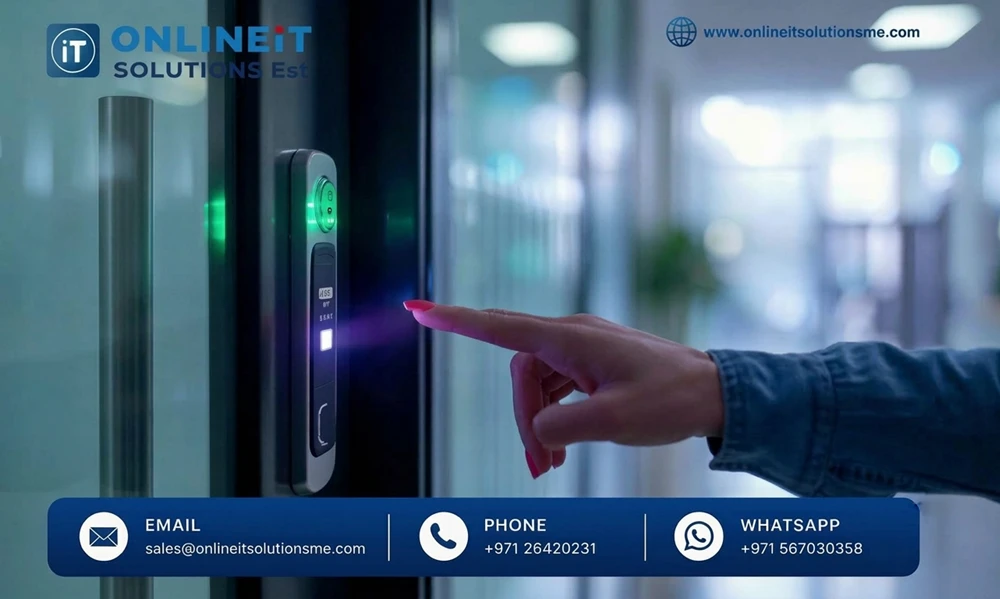
CCTV and access control, when used in combination, can effectively secure a room containing confidential documents or valuable equipment. Access control systems can also integrate a variety of devices including access cards, keypads, biometric devices and electronic locks.
CCTV can be integrated with access control systems. For example, an office can use CCTV and access control to secure its server room.
The onus is on the office to ensure that processes and procedures are in place to effectively manage the access privileges of its employees and to review access logs to ensure that only employees with a legitimate business reason to access the logs are doing so. Biometric devices also should be evaluated for applicable privacy and data protection laws.
6. Cybersecurity for IP CCTV Systems
The use of IP cameras to secure the perimeter of an office creates a critical digital risk if not secured properly. The same applies to recording devices, including digital video recorders (DVRs) or network video recorders (NVRs) that can be part of the business's IT infrastructure.
Measures to improve the security of an IP camera system can include disabling default or open ports, updating firmware, managing user access, isolating the CCTV system on a separate VLAN and patching the cameras, NVRs and/or associated cloud services.
7. Backup Power and System Maintenance
Lapses in coverage can occur with power outages and failures of the equipment being monitored. Some equipment can be powered during a blackout by an Uninterruptible Power Supply (UPS).
Continuous monitoring of the system can help locate disconnected cameras. Storage and recording issues can also be identified during maintenance. Regular maintenance should include cleaning of the camera lens and testing of the system’s power supply.
These help businesses identify issues that can adversely impact security before they occur.
8. Scalability and UAE Compliance
As a business grows and changes, so can the demands of the security systems in place. Using equipment that allows for system changes, upgrades and expanded storage can make future changes less complicated.
Different UAE emirates may have different surveillance requirements, particularly as they relate to signage, retention of data, and other legal and technical considerations. Before installation of any system, the business should become familiar with the local requirements to determine if any changes or updates are necessary to ensure compliance.
Always maintain equipment that helps respect the privacy of employees and recorded data is accessible only to authorized employees. Regulations can vary significantly by emirate. Businesses should become familiar with the regulations for their emirate rather than assume there is uniformity across the UAE.
How Should Small Offices Choose a Security System?
When selecting a security system, consider the location and number of areas that require monitoring. Look at the expected duration of recordings and the equipment being monitored. Consider the quality of the cameras, storage, access and control of the system, maintenance requirements, and cybersecurity of the system.
Take into consideration the total cost of ownership, including equipment, installation, storage subscription costs, and support. A site assessment can help define the proper configuration to align with your office layout and budget.
Frequently Asked Questions
What is the Best CCTV System for a Small Office in the UAE?
An IP-based CCTV system is a good solution for most small offices. The system must be of a good resolution, support secure remote access, and have reliable recording with good access controls. The best system configuration depends on the office and the level of security required.
Can I Monitor My Office CCTV from My Mobile Phone?
Yes. Most new CCTV systems support applications that allow mobile phone access for remote viewing of live feeds and/or recorded clips, as well as security notifications.
Do Small Offices Require Access Control, in Addition to CCTV?
Access control plays a part in restricting access to server rooms, storage areas and other secure workspaces within a business. CCTV and access control serve different but complementary purposes.
Are there rules for installing CCTV in the UAE?
The rules and regulations applicable to CCTV and other surveillance systems installation vary from one emirate to another and based on the business and the nature of the premises. Before acquiring and installing CCTV systems, it is recommended that businesses verify applicable approvals, technical standards and rules regarding data protection and privacy and retention of video footage.
Conclusion
A combination of access control and sophisticated CCTV systems with video analytics, remote and onsite monitoring, and reliable storage can provide small to medium sized businesses in the UAE a secure and protected workplace. Maintaining equipment and ensuring security best practices can strengthen security and reliability.
Recent Article




























.jpg)


 +971 2 6420231